
One payment · Lifetime license
Your homepage is fast.
Your cart isn't.
Carts, checkouts and member areas can't be saved as ready-made pages, so WordPress asks the database again and again. Novra Object Cache remembers those answers in Redis, so the pages where people buy get faster too.
$79
$158
· 1 website, paid once
Try it on your own site · 30-day money-back guarantee · No subscription

Novra Object Cache
FROM THE PLUGIN
SEE IF IT'S WORKING
Know what's happening.
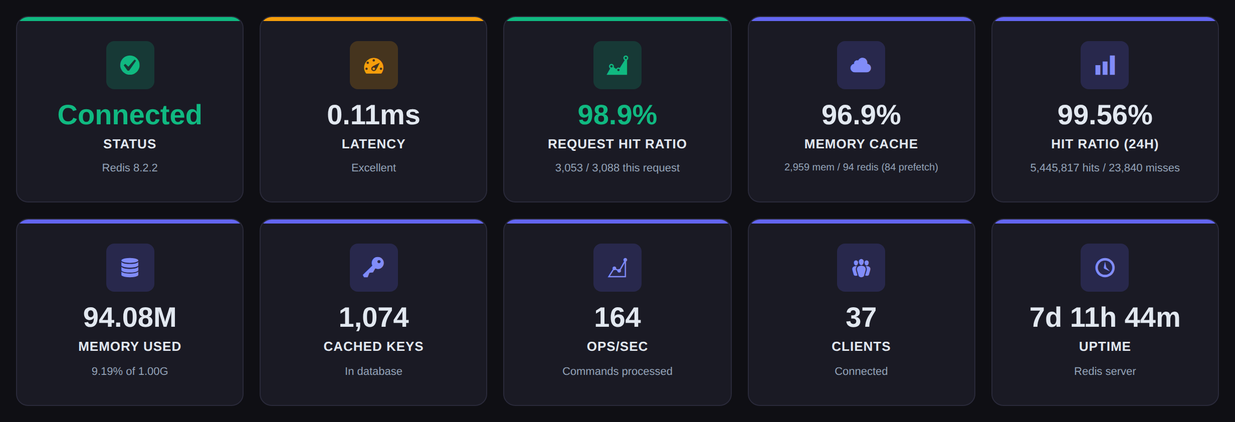
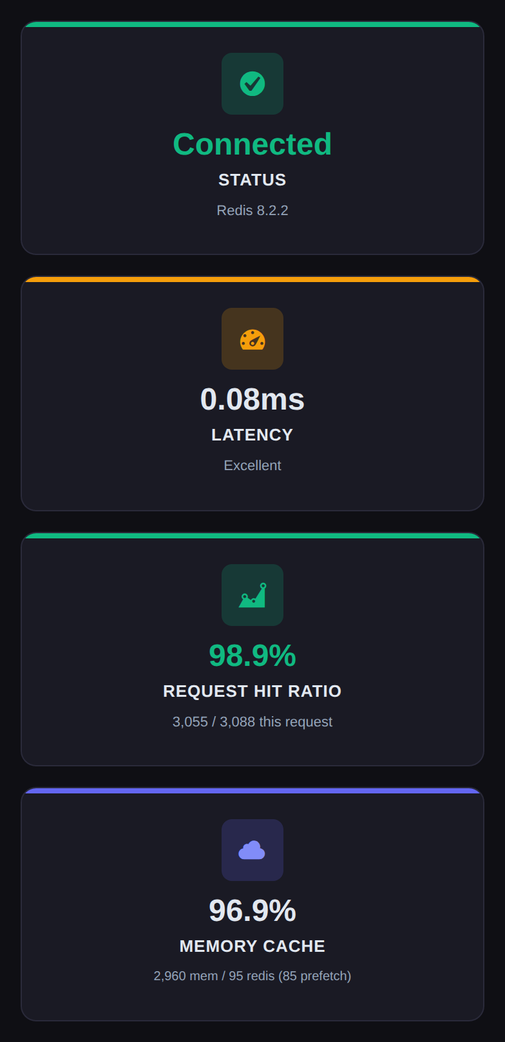
● Connection, hit ratio and speed in one place
CONNECT / SPEED UP / MEASURE
$79
Price for 1 website. Paid once.
4 plans
From 1 website up to unlimited.
Lifetime
Updates for the life of the license.
30 days
Money-back guarantee on every plan.
FIVE TABS. NINETEEN SETTINGS. GOOD DEFAULTS.
Set it up once.
Then leave it alone.
Does your host offer Redis? Many do with one click. Connect, Cache, Performance, Advanced and Security each have their own settings, and the recommended values are already selected, so a fresh install starts from a sensible setup.
01 / CONNECT
Link WordPress to your Redis.
Tell the plugin where your Redis lives: across the network, over an encrypted connection, or directly on the same machine. Many hosts already provide the details and the plugin picks them up. A test button shows at once if it works.
TCP · TLS · Unix socket · Key prefix
02 / CACHE
Packed small, so it goes further.
Stored data is packed smaller, so your Redis memory goes further. The best options are picked for you. You can still decide how long things are kept and how long WordPress waits for an answer.
LZ4 · ZSTD · igbinary
03 / PERFORMANCE
Less waiting on every page load.
Frequently used settings are fetched in one go instead of piece by piece, and one oversized WordPress setting no longer gets dragged along with every request.
Prefetching · Split alloptions
04 / ADVANCED
Clears the cache without stalling Redis.
Clears old data with the non-blocking UNLINK command, can empty a single cache group without touching the rest, retries a dropped Redis connection with backoff, and has a debug mode for the days you need it.
Async flush · Group flush · Retry backoff
05 / SECURITY
Your Redis password, encrypted in one click.
The connection can be encrypted, and one click encrypts your Redis password (AES-256-GCM), so it isn't saved as plain text. The key is created for you and stays in your wp-config.php file.
TLS · AES-256-GCM · wp-config key
06 / VISIBILITY
Numbers, not guesswork.
See how often the cache already had the answer, how fast it replies and how much memory it uses. The plugin also reports into WordPress Site Health, and into Query Monitor and Debug Bar if you use them.
Analytics · Site Health · Query Monitor
WORKS WITH WHAT YOU ALREADY USE
INSIDE THE PLUGIN
Real screens.
Real controls.
Every screen below comes from the Novra Object Cache interface. This is the dashboard and the settings you get after installing it.
Connection
FROM THE PLUGIN
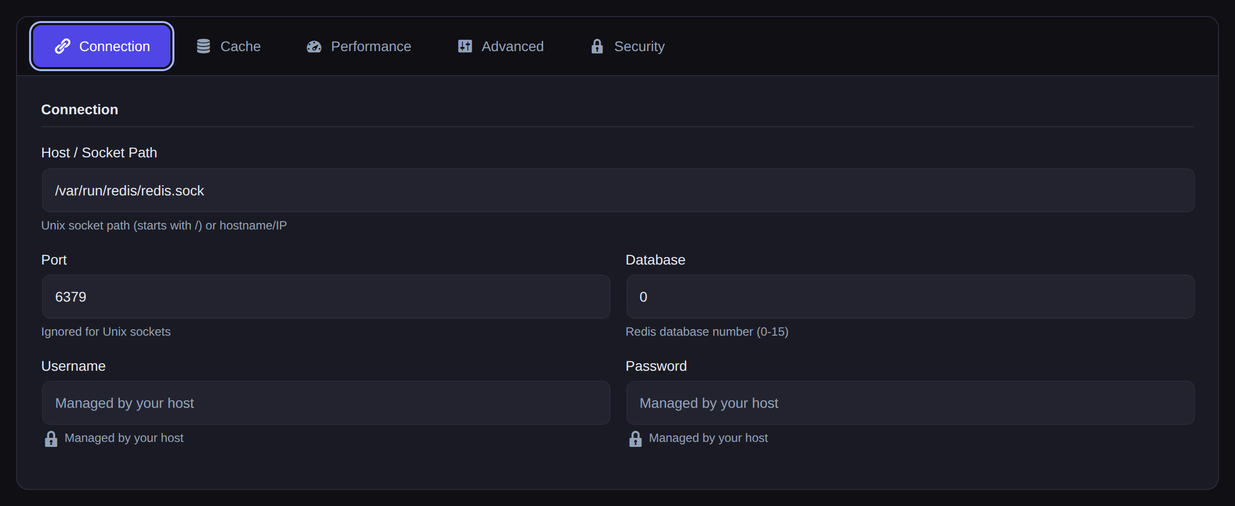
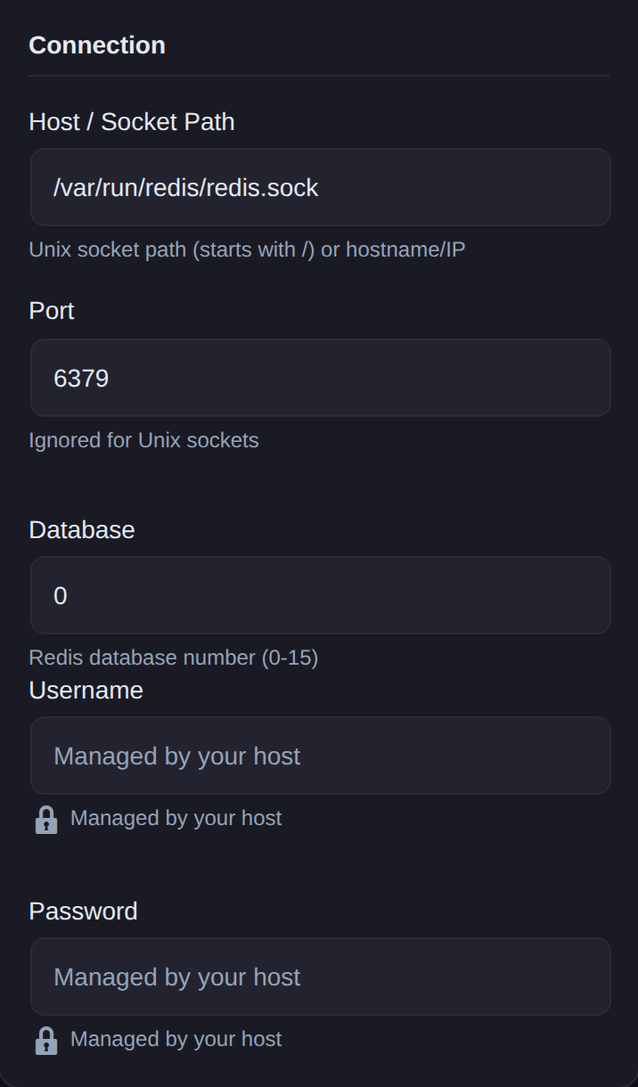
The Connection tab in Novra Object Cache. Fill in host, port and database, or let your host's settings be picked up.
ONE TAB TO GET CONNECTED.
Works with Redis,
wherever it lives.
Enter a hostname and port for a Redis on another machine, or a file path when it runs right beside WordPress. Encrypted connections are supported, and the database number keeps several sites apart on one Redis.
Prefer to keep it in code? Your host's settings in wp-config.php are read automatically. The Test Connection button tells you straight away whether it worked.
Unix socket · TLS · wp-config.php
SENSIBLE DEFAULTS. YOURS TO CHANGE.
Good defaults.
Yours to change.
Every option on the Advanced tab comes with a recommended value already selected: no time limit on cached data, three connection retries, non-blocking clean-up, the compact igbinary data format and statistics.
Change only what your setup needs. Limit how long things are kept, switch on the debug mode while you chase a problem, and leave the rest alone.
See the plansAdvanced
FROM THE PLUGIN
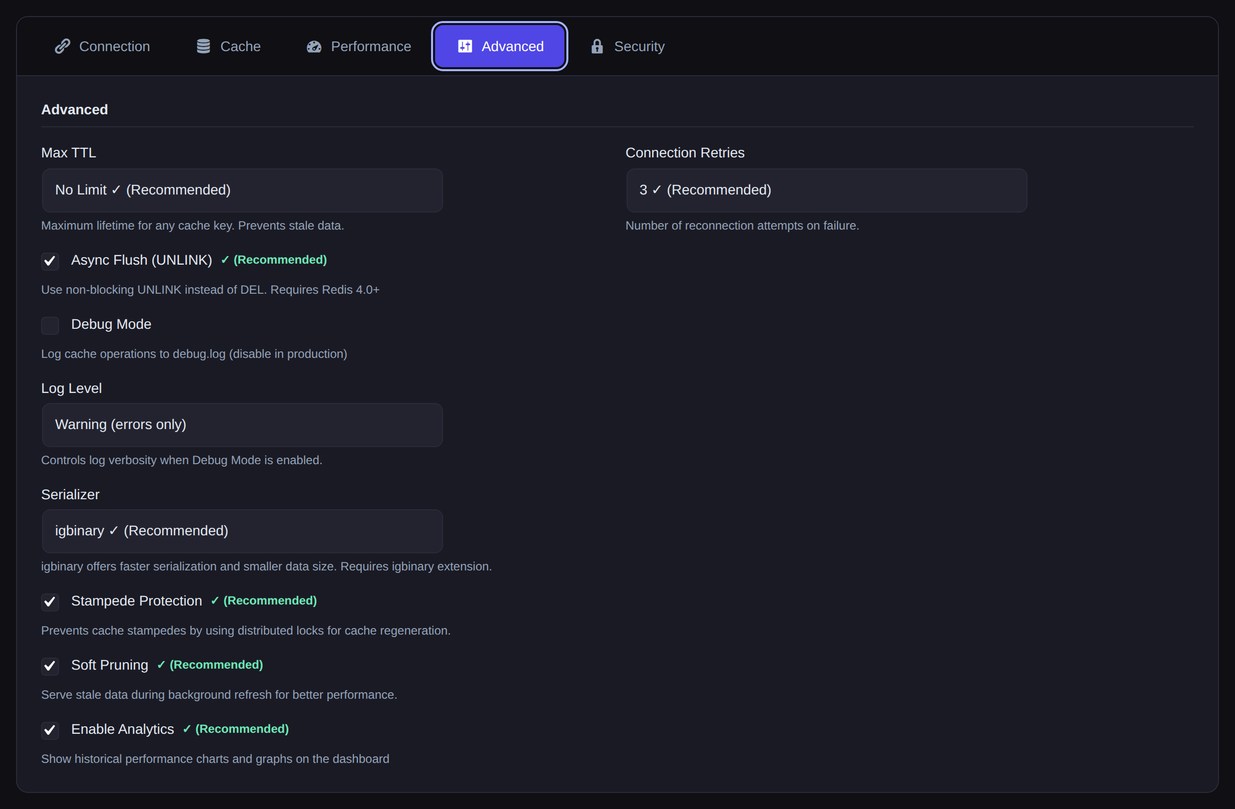
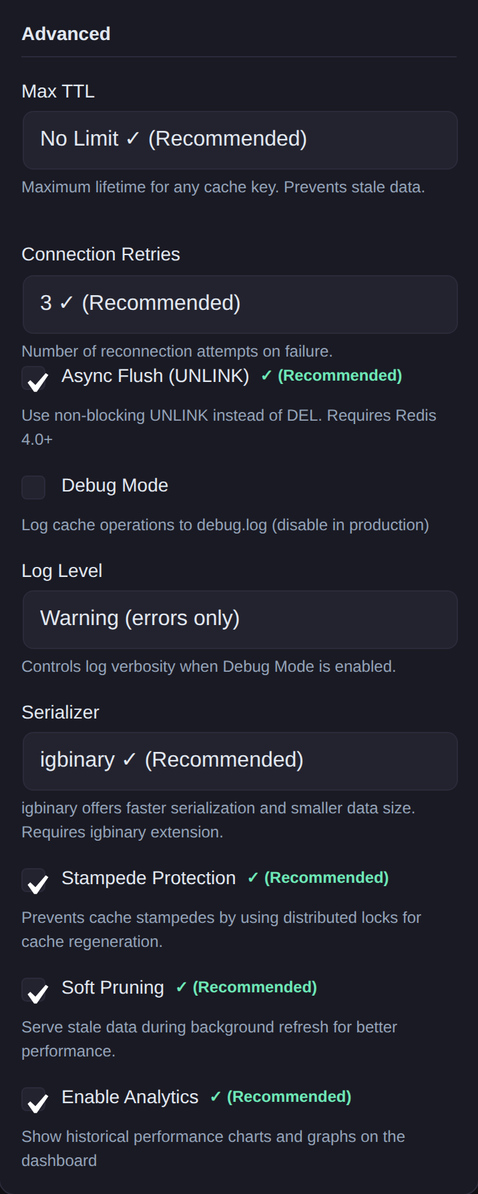
The Advanced tab in Novra Object Cache. Recommended values are marked, so you can see where you differ.
Performance Analytics
FROM THE PLUGIN
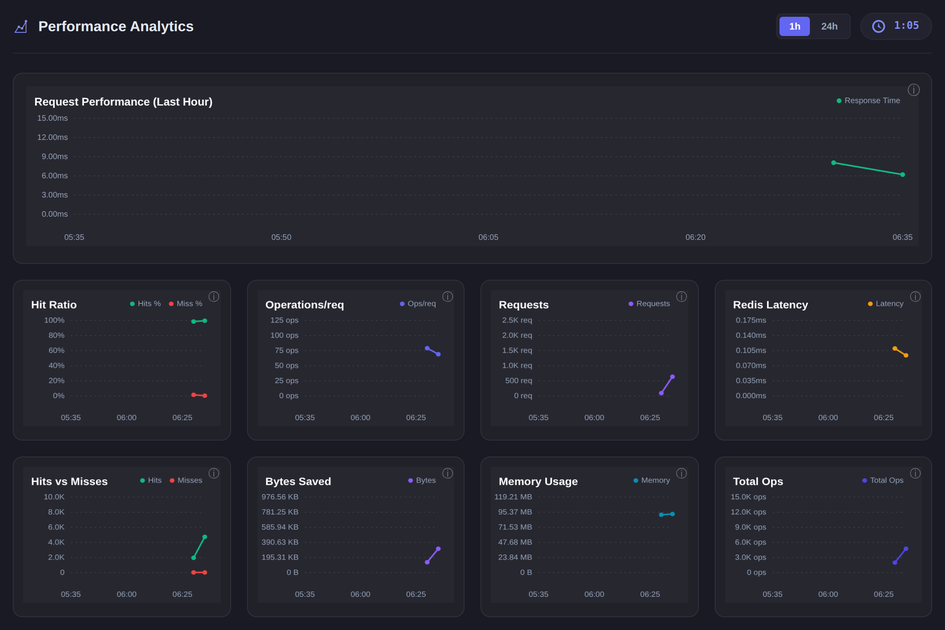
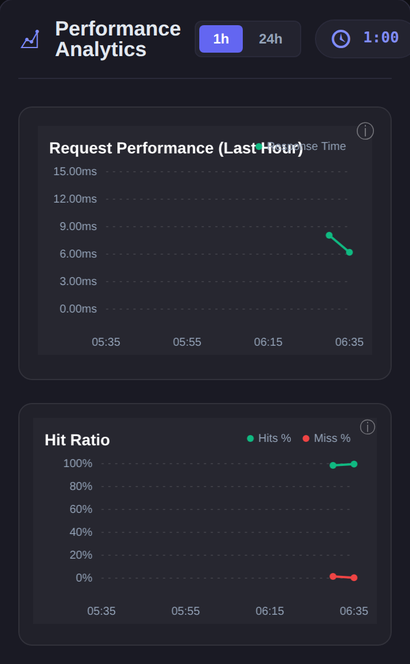
The statistics section of the Novra Object Cache dashboard. Charts group data in 5-minute or 1-hour steps.
WHAT THE CACHE IS ACTUALLY DOING.
Measured,
not assumed.
See how often the cache had the answer, how fast it replied, how much it saved and how much memory it uses, for the last hour or the last 24 hours.
A chart shows which parts of WordPress use the cache most. If you don't want statistics, switch them off and the charts go with them.
Hit ratio · Latency · Cache groups
BEFORE YOU GO LOOKING.
It tells you what
your server has.
Software versions, whether the faster packing options are available, and how your Redis handles memory. All read from your running server.
A status line says in plain words whether the cache file is in place and working. WordPress Site Health shows the same checks.
Drop-in status · Versions · Memory policy
Redis details & system info
FROM THE PLUGIN
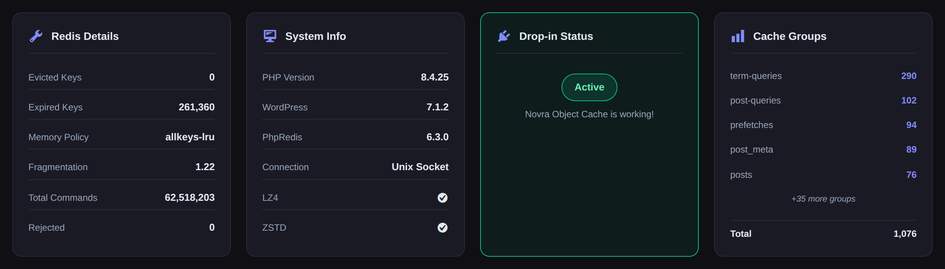
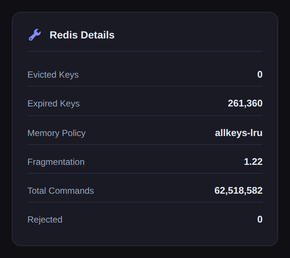
The checks row on the Novra Object Cache dashboard. The cache file's status is checked on every visit.
FROM ZERO TO CACHED.
Four steps.
Nothing happens by surprise.
Activating the plugin only saves default settings. It doesn't switch the cache on and installs nothing into WordPress until you click Enable Cache. Saving your settings later adds a small marked block to wp-config.php.
01
Check your hosting
PHP 8.0+, WordPress 6.1+, Redis 5.0+ and the PhpRedis add-on. Without PhpRedis the plugin switches itself off on activation.
02
Install & activate
Upload the ZIP from your account, activate the plugin and enter your license key under Novra Object Cache → License.
03
Connect & test
Enter host, port and password on the Connection tab (or let the plugin pick up your host's settings), then click Test Connection.
04
Switch the cache on
Enable Cache installs the small file WordPress loads first. From then on the dashboard and Site Health show what the cache is doing.
BEFORE YOU BUY
What it needs.
What it does not.
The details that decide whether Novra Object Cache fits your setup, straight from the documentation.
01 / WHAT YOU NEED
PHP 8.0+, WordPress 6.1+, Redis 5.0+.
Redis 6.0 or later is recommended. You also need PhpRedis, a small PHP add-on that lets WordPress talk to Redis. The plugin checks for it on activation and won't run without it.
02 / YOUR REDIS
Bring your own Redis.
The plugin connects to a Redis that you run or your host provides. It doesn't install, host or manage Redis for you. No Redis at your host yet? Start with Novra Cache instead.
03 / ONE OBJECT CACHE ONLY
One per site.
WordPress allows a single object cache file. Novra Object Cache never overwrites one that another plugin created, and it won't install while a competing object cache plugin is active. Switch that one off first.
04 / OPTIONAL EXTRAS
Faster packing, if your server has it.
igbinary (a more compact data format) is recommended but optional. LZ4 and ZSTD compression show as n/a when your server lacks them. Standard compression always works.
05 / ENCRYPTED CONNECTIONS
Certificate checks are your call.
You can connect to Redis over an encrypted connection. The certificate check is switched off by default. For a live site, set your own options in your wp-config.php (see the documentation).
06 / LICENSE
Will my cache stop if my license runs out? No.
Your license only brings updates. The cache keeps working, whatever happens with your license.
PRICING
Pay once.
Keep it for life.
Pick the number of websites you need. Every price below is a single payment, with updates for the life of the license.
ONE PAYMENT · NO SUBSCRIPTION
One-time payment. No subscription.
ONE-TIME LICENSE
Business
Room for a growing business.
$149
$298
one time · save $149
5 websites
Buy BusinessRECOMMENDED
BUILT FOR CLIENT WORK
Agency
Faster dynamic pages across your client sites.
$249
$498
one time · save $249
25 websites
Buy AgencyONE-TIME LICENSE
Enterprise
One cache for every site you run.
$399
$798
one time · save $399
Unlimited websites
Buy EnterpriseINCLUDED IN EVERY PLAN
A fast memory for your database
Compact storage
Live statistics
Site Health checks
Every plan has the same features and the same updates. The only difference is how many websites you can use it on.
RUNNING A SHOP? YOU NEED BOTH.
Add Novra Cache and save with the bundle.
Novra Cache speeds up the pages everyone sees. Novra Object Cache speeds up the cart, checkout and account pages. Together from $119 once, instead of $158 bought separately. Add Novra Tracking too in the Growth Bundle, from $169.
30-day money-back guarantee
Install Novra Object Cache on your own site and judge it there, with your own Redis. If it's not the right fit, request a full refund within 30 days of purchase.
One payment. No recurring subscription.
BEFORE YOU BUY.
Good questions.
Clear answers.
The essentials, without the small print.
Is this a subscription?
No. Every price is a one-time payment for a lifetime license. There is no subscription, no renewal date and nothing to cancel. Updates arrive on the normal WordPress update screen.
What do the crossed-out prices mean?
Those are the regular prices per plan. You pay the lower one: Personal is $79 instead of $158, Business $149 instead of $298, Agency $249 instead of $498, and Enterprise $399 instead of $798.
Which plan should I choose?
Choose by the number of websites: Personal for 1, Business for up to 5, Agency for up to 25 and Enterprise for an unlimited number. Every plan has the same features and the same updates.
Does my hosting support it?
You need PHP 8.0 or higher, WordPress 6.1 or higher, a Redis server on 5.0 or higher (6.0+ recommended) and the PhpRedis add-on. Many hosts offer Redis, often with one click. Asking your host "Do you offer Redis and PhpRedis?" is enough. The faster packing options are used when your server provides them.
I already have an object cache plugin. Can I run both?
No. WordPress allows only one object cache. Novra Object Cache won't overwrite another plugin's file and won't install while a competing object cache plugin is active. A page cache such as Novra Cache is a different kind of cache and works alongside it. Coming from Object Cache Pro? See how they compare. Using Redis Object Cache? See how they compare.
Can I keep the settings in wp-config.php?
Yes. If you define your connection in wp-config.php, the plugin reads it from there, and what's defined in that file always wins over the settings screen. Developers will find the constant names in the documentation.
Will it work with my WooCommerce shop?
Yes. WooCommerce sessions and cart fragments get their own handling. As with any caching change, walk through your product, cart and checkout once after switching it on.
Will my cache stop if my license runs out?
No. Your license only brings updates. The cache keeps working, whatever happens with your license, even when a license check fails or times out.
Can I move my license to another website?
Yes. Deactivate the website under Novra Object Cache → License, then activate the key on the new website. Your plan decides how many websites can be active at the same time.
What if it's not the right fit?
Request a full refund within 30 days of purchase. Install it on your own site and judge it there, with your own Redis, theme and plugins.
Not sure it fits your setup?
Tell us about your hosting, your Redis and your plugins before you buy. We'll get back to you as soon as we can.
FASTER WHERE PEOPLE BUY.
Your next upgrade
starts here.
Give your carts, logins and admin a fast memory, then see what it does on your own traffic.
From $79 once · One payment, no subscription · 30-day money-back guarantee